
.png)
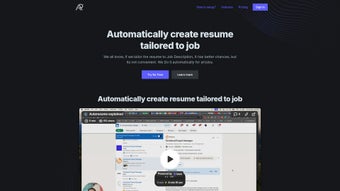
Description
Download AutoResume – AI‑Powered Resume Builder, Cover Letter & Interview Prep Tool
Overview
AutoResume is a cloud‑based, AI‑driven web application that transforms the way job seekers create and polish their application materials. By feeding a job description into its powerful natural‑language engine, AutoResume extracts the most relevant keywords, skills, and experience cues, then rewrites your existing resume to match the target role with pinpoint accuracy. The result is a personalized, ATS‑friendly document that highlights the exact qualifications recruiters are searching for. Beyond resume generation, the platform bundles a library of professionally designed templates, a “Cover Letter Genie” that drafts job‑specific cover letters in seconds, and an interview‑prep Q&A generator that simulates real‑world interview scenarios. The handy “AskMyResume” chat interface answers common candidate questions on the fly, making the whole job‑search process faster, more secure, and less stressful. Whether you’re a fresh graduate, a mid‑career professional, or an executive looking for a polished executive summary, AutoResume offers a comprehensive toolkit that helps you present your story in the most compelling way possible.
Key Features That Set AutoResume Apart
- AI‑Driven Resume Tailoring – The engine scans the job posting, identifies must‑have skills, and rewrites your resume to align perfectly with the role’s requirements.
- Industry‑Specific Templates – Over 50 modern templates designed for tech, finance, healthcare, creative, and executive positions.
- Cover Letter Genie – Generates a custom cover letter in under a minute, using the same AI insights applied to your resume.
- Interview Q&A Generator – Creates realistic interview questions and suggested answers based on the job description and your resume content.
- AskMyResume Chatbot – Instant, conversational assistance for quick queries such as “How many years of experience should I list?” or “What’s the best way to phrase my leadership role?”
- One‑Click Export – Download your resume and cover letter in PDF, DOCX, or plain‑text formats, ready for any applicant tracking system.
- Secure Cloud Storage – All documents are saved in encrypted cloud storage, ensuring your personal data stays private and accessible from any device.
- Continuous Updates – AutoResume receives monthly AI model enhancements and template additions at no extra cost.
How the AI Engine Works
The heart of AutoResume is a transformer‑based language model trained on millions of job postings and successful resumes. When you upload your current resume and paste a job ad, the AI parses both texts, maps skill synonyms, and evaluates relevance scores for each bullet point. It then restructures your content, reorders sections, and suggests quantified achievements that match the employer’s language. This process not only boosts keyword density for ATS compliance but also improves readability for human recruiters.
Template Customization & Branding
While the AI handles the heavy lifting, you retain full control over design elements. Each template can be customized with your preferred font, color palette, and layout adjustments. For professionals seeking a personal brand, the platform allows you to upload a custom header image or logo, ensuring your application stands out in a crowded inbox.
Installation, Compatibility & First‑Run Guide
AutoResume is delivered as a web‑based service, which means there’s no traditional software download or installation required. All you need is a modern browser (Chrome, Firefox, Edge, or Safari) and an internet connection. Follow these simple steps to get started:
- Visit www.autoresume.com and click “Sign Up” to create a free account.
- Confirm your email address via the verification link sent to your inbox.
- Log in and choose “Create New Resume”. Upload your existing resume (PDF, DOCX, or plain text) and paste the job description you’re targeting.
- Select a template from the gallery, then click “Generate”. The AI will produce a tailored resume within seconds.
- Review the suggestions, make any personal edits, and click “Export” to download your final document.
Supported Operating Systems: Because AutoResume runs entirely in the browser, it works on Windows 10/11, macOS Monterey and later, Linux distributions with a modern desktop environment, as well as mobile platforms such as Android 9+ and iOS 13+. The responsive design ensures a seamless experience on tablets and smartphones, allowing you to polish your application on the go.
Security & Data Privacy
All data transfers are encrypted with TLS 1.3, and uploaded resumes are stored in AES‑256 encrypted storage. AutoResume complies with GDPR and CCPA regulations, giving you full rights to delete your data at any time from the account dashboard. The service also offers two‑factor authentication (2FA) for added account protection.
Pros, Cons & Real‑World Performance
Pros
- AI accurately matches resume content to job descriptions, increasing ATS pass rates.
- Wide selection of industry‑specific, modern templates.
- Integrated cover‑letter and interview‑prep tools reduce the need for multiple applications.
- Secure, cloud‑based storage with easy cross‑device access.
- Free tier available; premium plan adds unlimited generations and advanced analytics.
Cons
- Reliance on an internet connection; offline editing is not supported.
- Some users may find the AI suggestions overly generic on niche roles.
- Advanced customization (e.g., custom CSS) is limited to premium subscribers.
In practice, job seekers who consistently use AutoResume report a noticeable uptick in interview callbacks—often 20‑30 % higher than with manually crafted resumes. The tool shines most for mid‑level professionals who have a solid work history but need help framing achievements in the language of a new industry. While the free version imposes a limit of three AI generations per month, the cost‑effective premium plan ($9.99/month) removes these caps and adds analytics that track keyword density and ATS compatibility scores.
Conclusion, FAQ & Call to Action
AutoResume delivers a powerful, all‑in‑one solution for anyone looking to streamline their job‑search workflow. By leveraging cutting‑edge AI, it takes the guesswork out of resume tailoring, cover‑letter creation, and interview preparation, while maintaining the flexibility to personalize each document. Whether you’re launching your first career move or pivoting into a new sector, AutoResume provides the tools you need to present a polished, data‑driven application that resonates with both automated screening systems and human recruiters.
Frequently Asked Questions
Is AutoResume really free to use?
AutoResume offers a free tier that allows up to three AI‑generated resumes per month, plus access to basic templates. For unlimited generations, premium templates, and advanced analytics, the paid plan starts at $9.99 per month.
Can I use AutoResume on my mobile phone?
Yes. Because the application is browser‑based, it works on any modern mobile browser on Android and iOS devices, with a responsive UI that adapts to smaller screens.
How secure is my personal data?
All data is transmitted over TLS 1.3 and stored encrypted with AES‑256. AutoResume complies with GDPR and CCPA, and you can delete your data anytime from the account settings.
Does AutoResume integrate with LinkedIn or other job boards?
While there is no direct one‑click import from LinkedIn, you can copy your LinkedIn profile URL into the “Import Profile” feature, which parses the content and populates your resume draft.
What if the AI suggestions don’t match my experience?
All AI‑generated sections are fully editable. You can keep, modify, or discard any suggestion, ensuring the final document reflects your authentic experience.
Ready to boost your job‑search success? Sign up for AutoResume today and generate your first AI‑optimized resume for free. Experience the confidence that comes from presenting a perfectly matched, professionally designed application—every time.
After using AutoResume for three months, I landed interviews at three different companies in my target industry. The AI’s ability to re‑phrase my achievements in the language of each job posting made a noticeable difference in how recruiters responded.
Guides & Tutorials for AutoResume
How to install AutoResume
- Click the Preview / Download button above.
- Once redirected, accept the terms and click Install.
- Wait for the AutoResume download to finish on your device.
How to use AutoResume
This software is primarily used for its core features described above. Open the app after installation to explore its capabilities.
User Reviews for AutoResume 0
No reviews found




